
Pacdora vs. Packmage: Which 3D Packaging Design Platform Is Right?
Choosing between web-based rendering and dedicated structural engineering software depends on your specific workflow. This comparative breakdown evaluates Pacdora and Packmage across core parameters, including parametric CAD control, photorealistic 3D visualization, generative vs algorithmic AI, and licensing models, helping graphic designers and prepress engineers choose the right platform.

Awais M · Custom Packaging Specialist
Awais M helps small and mid-sized brands get custom packaging right — the box style, the material, the print finish, and the order quantity that actually fits the budget.
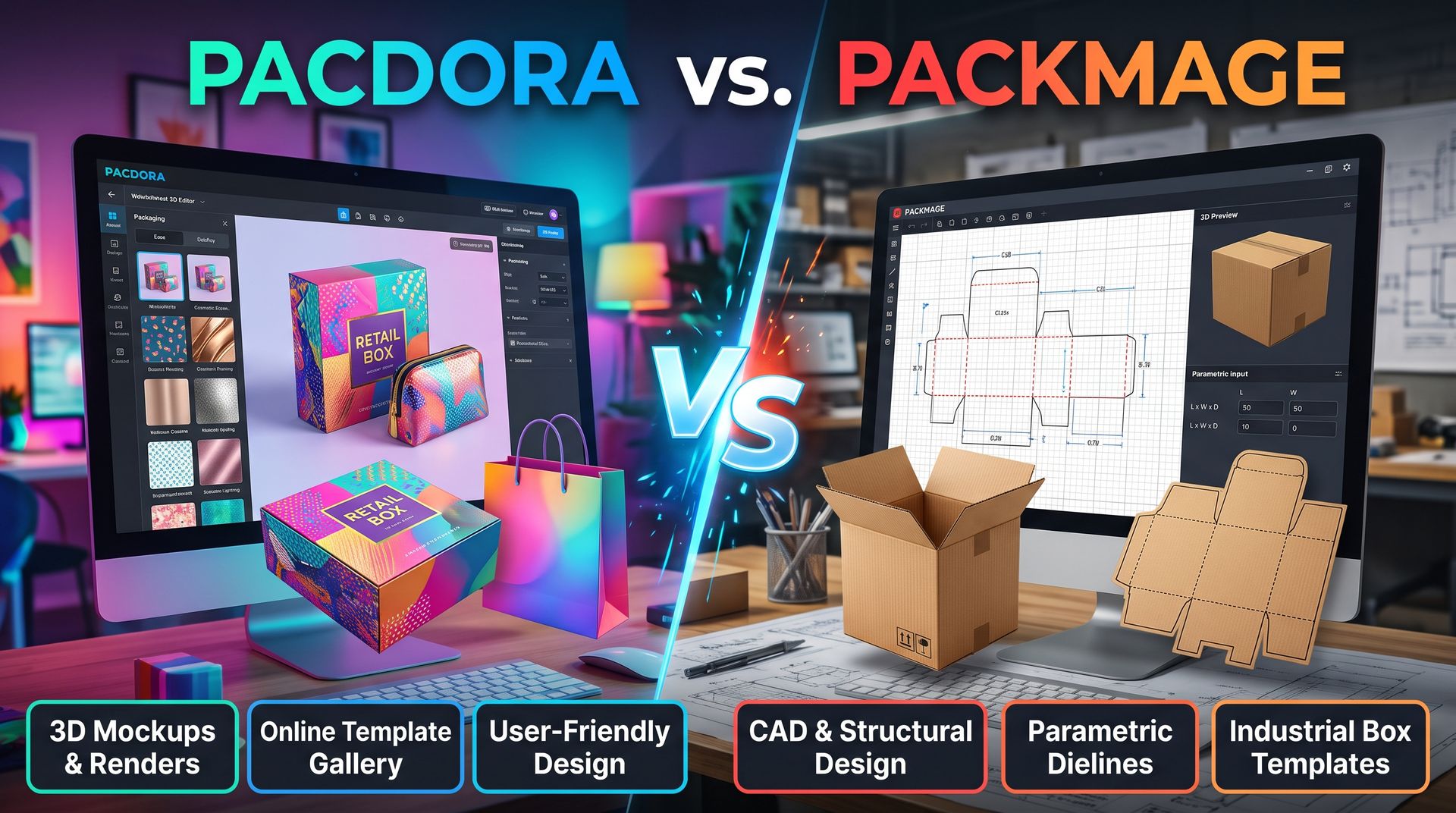
Choosing the right packaging design software depends entirely on whether your priority is photorealistic marketing visuals or industrial manufacturing precision. The landscape has evolved beyond traditional CAD, introducing powerful cloud-based alternatives that challenge established desktop workflows.
This guide provides a critical comparison between Pacdora and Packmage, designed to help graphic designers, structural engineers, and brand owners select the optimal tool for their workflow. We analyze key parameters—ranging from parametric CAD control and 3D rendering quality to pricing models and AI integration—to determine which platform delivers the best return on investment for your specific production requirements.
Parameter 1: User Interface & Accessibility (Cloud vs. Desktop)
Pacdora (Browser-Based SaaS): Runs directly in any modern browser without installation; offers a sleek, intuitive drag-and-drop interface optimized for quick visual design, mockups, and client presentations.
Packmage (Desktop/Structural Workflow): Built around a traditional CAD-like layout tailored for structural engineers, prepress technicians, and box manufacturers who prioritize precision vector work over visual aesthetics.
Decision Guide: Choose Pacdora for cross-platform team collaboration and quick online accessibility; choose Packmage if you prefer dedicated software focused strictly on structural dieline manipulation.
Parameter 2: Dieline Library & Structural Engineering Precision
Pacdora (Growing 3D Template Library): Provides thousands of ready-to-use 3D packaging templates (boxes, pouches, bottles, cans, bags). Offers parametric dimension inputs, but is tailored more toward rapid 3D folding and surface artwork placement than custom box structural engineering.
Packmage (Parametric Dieline Powerhouse): Features an extensive library of FEFCO (corrugated) and ECMA (folding carton) standard box templates. Offers high parametric flexibility, adjust length, width, depth, and caliper, and all flap allowances automatically update to exact manufacturing tolerances.
Decision Guide: Choose Packmage if your priority is creating custom structural packaging dielines from scratch for high-volume offset printing and die-cutting; choose Pacdora if you rely on standard templates and want fast 3D folding without complex parametric adjustments.
Parameter 3: 3D Visualization, Materials, & Rendering Quality
Pacdora (Photorealistic WebGL & Ray Tracing): Offers high-end 3D rendering with customizable lighting scenes, realistic material textures (matte, glossy, metallic foils, spot UV, embossed effects), surface background settings, and instant 3D video export for marketing assets.
Packmage (Functional 3D Structural Preview): Provides 3D folding animation primarily to check structural fit, lid closure, and assembly sequence. Rendering features basic texture mapping and visual checks rather than commercial-grade photorealism.
Decision Guide: Choose Pacdora if you need high-resolution 3D renders, video turnarounds, and presentation-ready mockups for client approvals or e-commerce stores; choose Packmage if your main goal is simply checking structural assembly and folding mechanics.
Parameter 4: Prepress Export & Graphic Design Integration
Pacdora (Artwork Overlay & Vector/Raster Export): Allows direct upload of Illustrator/Photoshop graphics onto 3D surfaces, with dual export of 3D renders (PNG/MP4) and combined print-ready vector dielines (PDF/DXF).
Packmage (Pure Structural DXF/EPS Export): Focuses heavily on structural export options (DXF, EPS, PDF) ready for CAD cutting tables (Zünd, Kongsberg) and box-making machinery, with built-in layout imposition capabilities to maximize sheet yield.
Decision Guide: Choose Packmage if your work moves directly into factory prepress, sheet layout nesting, and automated sample cutting; choose Pacdora if your workflow bridges 2D graphic design and immediate 3D visualization.
Parameter 5: Learning Curve, Speed, & Workflow Efficiency
Pacdora: Minimal learning curve. Designers can apply artwork to a 3D dieline and generate a photorealistic render within minutes.
Packmage: Moderate-to-steep learning curve for non-engineers. Requires familiarity with box structures, flap tolerances, material thickness allowances, and CAD concepts.
Decision Guide: Choose Pacdora for rapid turned-around pitch decks, social media content, and fast client options; choose Packmage for rigorous structural development where dimensional accuracy takes precedence over speed.
Parameter 6: Pricing Models & Cost Efficiency
Pacdora (Subscription SaaS Model): Operates on a tiered cloud subscription (Monthly / Annual Pro plans starting around $9–$59/month, with free limited exports). Includes cloud storage, rendering servers, and continuous template updates without maintenance fees.
Packmage (Perpetual / Annual Desktop Licensing): Uses traditional software licensing (Vip membership / Lifetime options ranging from $39–$300+ depending on modules). Offers local processing without ongoing rendering credits, making it cost-predictable for high-volume manufacturing plants.
Decision Guide: Choose Pacdora if you prefer low upfront costs, regular updates, and flexible pay-as-you-go visual asset creation; choose Packmage if you want a one-off software investment for dedicated in-house structural designers.
Direct Comparison Table
Comparison Parameter | Pacdora | Packmage | Winner / Recommended For |
Primary Focus | 3D Visualization & Quick Dielines | Structural CAD & Parametric Box Design | Tie (Depends on workflow role) |
Platform | Web-Based SaaS | Windows Desktop Application | Pacdora (Accessibility) |
Pricing Model | Subscription ($9–$59/mo) | License / Perpetual ($150–$300+) | Pacdora (Low upfront cost) / Packmage (Long-term ROI) |
3D Rendering Quality | Photorealistic, metallic/foil, 3D video | Basic 3D structural preview | Pacdora (Marketing & Design) |
Structural CAD Control | Parametric preset adjustments | Advanced parametric editing & sheet nesting | Packmage (Manufacturing & Prepress) |
Standard Template Depth | 3,000+ modern consumer packaging items | FEFCO / ECMA standard corrugated & folding boxes | Packmage (Corrugated/Carton standards) |
Prepress & Sheet Yield | Basic dieline export | Built-in imposition & material yield tracking | Packmage (Factory production efficiency) |
Ease of Use | Beginner-friendly, intuitive UI | Technical, CAD-oriented workflow | Pacdora (Graphic Designers & Marketers) |
What is Structural CAD Control?
Structural CAD Control refers to the precision engineering parameters within CAD software (like Packmage or ArtiosCAD) that dictate how a 2D dieline folds, aligns, and physically performs as a 3D package.
Unlike basic graphic layout adjustments, structural CAD control directly governs physical manufacturing physics and mechanical assembly.
Core Components of Structural CAD Control
Parametric Dimensioning: When you change one variable (e.g., box length), the CAD system automatically updates all connected geometry, including tuck flaps, dust flaps, side seams, and glue allowances—to keep the structure mathematically sound.
Caliper & Board Thickness Allowances: Materials take up physical space when folded. Structural CAD controls automatically calculate crease offsets based on the exact material caliper ( cardstock vs. corrugated), preventing lid bulging, strain, or seam bursting.
Flap Lock & Closure Clearance: Precise mathematical formulas determine friction-lock angles, thumb notches, and slot clearances so lids open smoothly and snap shut without tearing.
Prepress & Sheet Yield (Imposition Layout): Structural CAD allows engineers to control vector nesting—arranging dielines on raw corrugated or paperboard sheets to minimize scrap material and optimize high-speed rotary die-cutting.
Pacdora doesn’t have CAD; does it make it inferior to Packmage?
No, the lack of full structural CAD tools does not make Pacdora inherently inferior to Packmage.
Instead, it makes them fundamentally different software tools designed for completely separate stages of the packaging process and distinct professional roles.
The Fundamental Difference
Packmage is a Manufacturing & Engineering Tool: It is built for structural engineers and prepress technicians who need to draw or modify custom parametric vector lines, manage paperboard crease allowances manually, and optimize sheet imposition layouts for rotary die-cutters.
Pacdora is a 3D Visual & Rapid Prototyping Platform: It is built for graphic designers, marketers, and e-commerce brands who want to apply artwork to standard parametric box structures, render photorealistic 3D visuals, and export clean print-ready dielines (AI, PDF, DXF) without wrestling with CAD software.
Why Pacdora Isn't Inferior (Where Pacdora Wins)
Massive Parametric Template Library: While Pacdora doesn't let you build a CAD dieline from scratch, its 3,000+ pre-engineered standard dielines (FEFCO corrugated, ECMA folding cartons, pouches, cosmetic tubes) allow you to change dimensions, paper thickness, and flap parameters dynamically. For commercial packaging needs, creating a CAD dieline from scratch is redundant.
Superior 3D Rendering & Marketing Assets: Packmage provides basic structural 3D previews. Pacdora delivers studio-grade WebGL/ray-traced 3D renders with lighting, shadows, realistic materials (metallic foils, spot UV, gloss, matte), and 3D folding animations exportable as MP4s for e-commerce listings.
Accessibility & Speed: Designing in Pacdora takes minutes directly in a web browser without installing heavy software. Packmage requires desktop installation and technical CAD knowledge to operate effectively.
Where Packmage Holds the Edge (When Lack of CAD Matters)
Pacdora only falls short if your specific job requires custom structural CAD engineering:
Bespoke / Non-Standard Geometry: If a client requests a completely custom, irregular box shape that does not exist in a template library, Pacdora cannot draw the new vector paths from scratch—Packmage can.
Factory Nesting & Sheet Imposition: Packmage can take multiple structural dielines and optimize how they fit onto a large corrugated or paperboard sheet to minimize factory material waste. Pacdora exports individual dielines rather than factory-floor imposition sheets.
Role of AI in Pacdora and Packmage
1. AI in Pacdora: Generative Graphics & Smart 3D Visualization
Pacdora leverages Generative AI and Computer Vision to automate artwork placement, lighting setup, and visual mockup creation.
Text-to-Texture & Pattern Generation: Built-in AI prompts allow designers to generate seamless patterns, vector graphic elements, and surface textures directly on 3D packaging models without third-party design tools.
Smart Artwork Mapping (Auto-Fit AI): AI algorithms automatically detect dieline boundaries, flap zones, and bleed margins, snapping 2D graphic uploads precisely onto 3D surfaces while correcting distortion along curved edges.
AI Scene Lighting & Background Synthesis: Uses AI to calculate realistic environmental reflections, ray-traced shadows, and contextual background generation for instant studio-quality product photos.
Automated 3D Video Framing: AI cameras auto-track dieline folds, generating 360° product reveal animations and unboxing video clips for marketing use.
2. AI in Packmage: Algorithmic Parametrics & Prepress Optimization
Packmage utilizes Algorithmic Rule-Based AI and Machine Learning Optimization focused on physical engineering, structural accuracy, and factory material yields.
Parametric Dieline Auto-Adjustment: Rule-based AI recalculates complex vector geometry across all flaps, tucks, and locks when primary box dimensions (L x W x H) or material thickness (caliper) are modified.
Smart Sheet Imposition & Nesting AI: Calculates optimal layout positioning for multiple vector dielines on large corrugated sheets to minimize paperboard waste and reduce die-cutting cost per unit.
Structural Integrity & Stress Analysis: Algorithmic checks evaluate material fold tolerances and strain limits to prevent lid popping or corner tearing prior to physical sample production.
Prepress Error Detection: AI scans vector dielines for overlapping cut/crease lines, missing bleed allowances, and improper glue-flap dimensions before sending files to sample cutters (Zünd, Kongsberg).
3. Direct AI Feature Comparison
AI Capability | Pacdora | Packmage | AI Category |
Generative Graphics & Artwork | Native / High (Prompt-to-Texture, AI patterns) | None (Requires pre-built 2D vectors) | Generative Visual AI |
3D Rendering & Lighting AI | Native / Advanced (Auto-lighting, ray tracing) | Basic (Standard WebGL preview) | Computer Vision / Rendering |
Parametric Geometry Engine | Template-Based (Fixed structure presets) | Deep / Custom (Algorithmic rule sets) | Deterministic Rules Engine |
Material Yield & Nesting AI | None | Native / Advanced (Sheet imposition AI) | Optimization Algorithms |
Workflow Role | Creative Ideation & Pitch Assets | Industrial Prepress & Box Manufacturing | Visual vs. Mechanical |
Summary
Pacdora's AI acts as a Creative Co-Pilot, helping graphic designers, marketers, and e-commerce brands generate visual concepts, auto-wrap graphics, and export polished 3D marketing renders in seconds.
Packmage's AI acts as a Prepress & Structural Engineer, focused on mathematical precision, vector integrity, material efficiency, and seamless handoffs to box manufacturing machinery.
Final Decision Framework: Which One Should You Choose?
Choose Pacdora If:
You are a graphic designer, brand strategist, or e-commerce owner who needs fast 3D mockups.
You want photorealistic 3D renders and video clips to show clients or showcase products online.
You work primarily with standard box styles, pouches, bottles, and cosmetic containers.
Choose Packmage If:
You are a structural engineer, box manufacturer, or prepress technician.
You need complete control over parametric dimensions, material thickness allowances, and sheet imposition for factory die-cutting.
Your priority is structural accuracy and manufacturing integration over visual marketing renders.
The Hybrid Approach: Use Packmage to engineer and nest accurate structural dielines for the plant floor, then import the vector outlines into Pacdora to create high-end 3D client presentations and marketing visuals.
Need custom packaging for your product?
Get pricing, samples, and expert advice — no commitment required.
Topics
Industries