
Pacdora vs Canva Comparison: Designing Tools for Packaging
Choosing the right packaging design software prevents costly printing misalignments. While Canva excels at fast, intuitive 2D graphic design and visual branding, Pacdora provides the precise 3D structural engineering, parametric dielines, and folding previews needed for physical box manufacturing. Learn how to leverage both tools to build an unshakeable packaging design workflow.

Awais M · Custom Packaging Specialist
Awais M helps small and mid-sized brands get custom packaging right — the box style, the material, the print finish, and the order quantity that actually fits the budget.
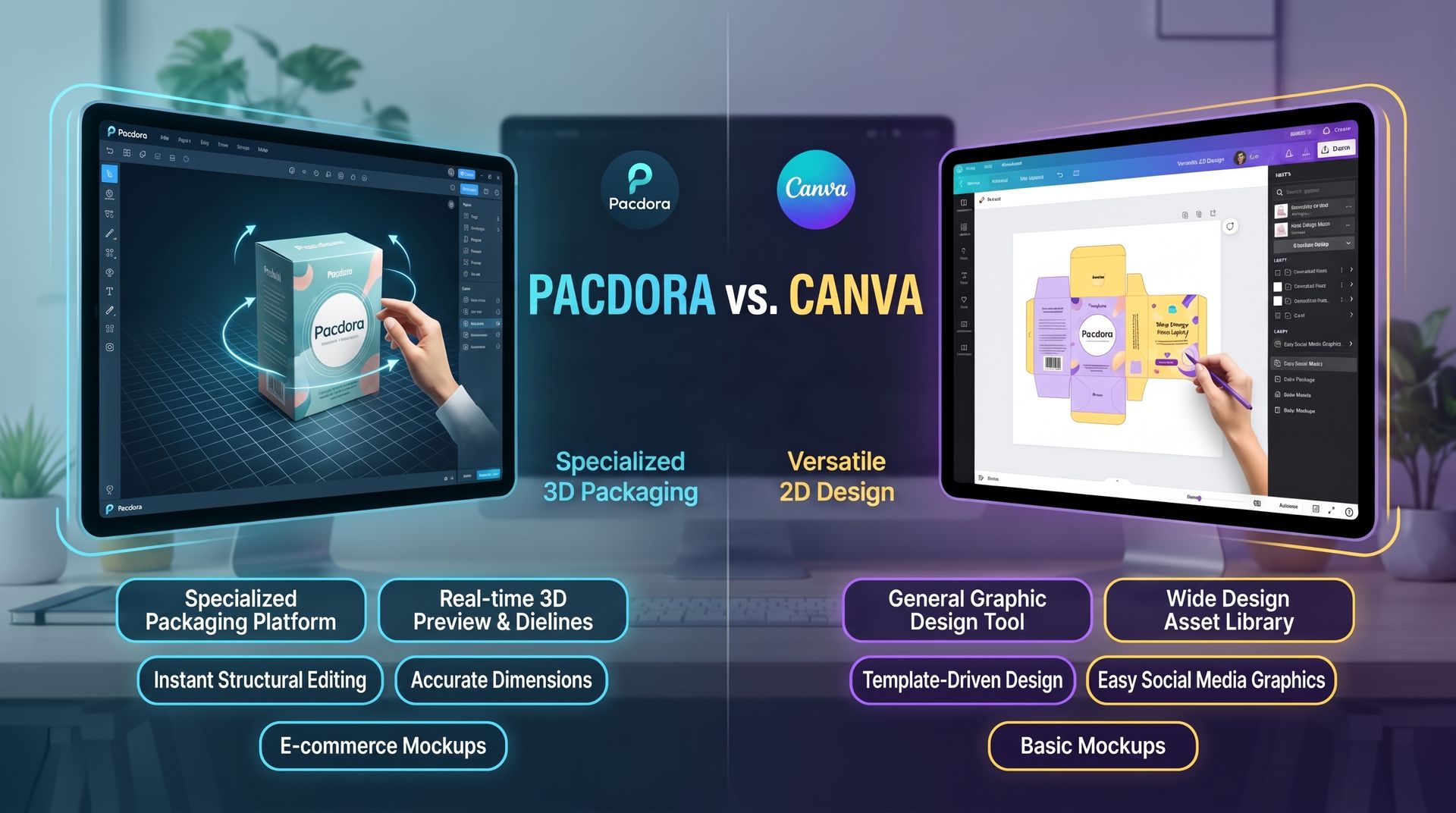
Choosing the right packaging design software prevents costly printing misalignments. While Canva excels at fast, intuitive 2D graphic design and visual branding, Pacdora provides the precise 3D structural engineering, parametric dielines, and folding previews needed for physical box manufacturing. Learn how to leverage both tools to build an unshakeable packaging design workflow.
If you’ve ever spent hours perfecting a stunning flat layout on your screen, sent it off to the printer with complete confidence, and then opened the final shipment only to realize the back panel printed upside down and the side seams were off by a heartbreaking quarter-inch, you know the unique, quiet panic of physical packaging design.
While general graphics tools excel at visual storytelling, they often lack the structural precision required to turn a 2D canvas into a faultless 3D fold. On the flip side, dedicated packaging platforms bridge the gap between creative artwork and manufacturing reality, ensuring your dielines lock together seamlessly.
To help you navigate this balance between aesthetic freedom and structural accuracy, we’ve put together a side-by-side comparison of Pacdora and Canva. Whether you need to pick the perfect platform for your workflow or learn how to combine both for an unshakeable packaging pipeline, this guide will help you build your designs right the first time.
Core Purpose and Primary Focus
That is a clear and accurate breakdown of the core distinction between the two platforms:
Pacdora functions essentially as a structural CAD and 3D mock-up engine tailored specifically for packaging production. It solves technical, manufacturing-level challenges—such as precise box dielines, folding mechanics, dimensions, and realistic material textures (like kraft paper, metallic foils, or glossy finishes).
Canva, by contrast, excels at flat surface graphic design and marketing layout. It enables quick assembly of visual elements, typography, and surface graphics across a massive variety of digital and print collateral.
When used together in a packaging workflow, Canva typically handles the surface artwork design (labels, logos, brand typography, graphics), while Pacdora handles the 3D visualization, folding simulation, and structural dieline accuracy.
Dieline Creation & Structural Accuracy
Pacdora’s Strengths
Pacdora features a comprehensive library of parametric 3D packaging models—spanning standard tuck-end boxes, auto-bottom bases, mailers, and complex rigid boxes. Because these models are fully parametric, designers can input exact length, width, and depth dimensions to instantly calculate and generate precise structural packaging layouts. These flat foldouts can then be exported as print-ready vector dielines in PDF or DXF formats, complete with pre-configured cut, fold, and bleed lines ready for direct production.
Canva’s Limitations
Canva functions primarily as a 2D graphics platform built around fixed canvas dimensions (pixels, inches, or millimeters). It lacks structural packaging awareness, meaning it provides no native support for crease/score lines, auto-calculated fold allowances, safety margins, or structural bleed requirements necessary for 3D packaging construction. Attempting to build or adjust complex 3D dielines manually in Canva frequently results in geometric inaccuracies and alignment errors.
Manufacturing Impact
Factory print floors and packaging manufacturers rely entirely on vector-based dieline files to drive automated die-cutting machinery, laser plotters, and plate-making systems. A dieline created without proper bleed boundaries, folding tolerances, or clear stroke separations between cut and crease lines can cause severe misregistration during high-speed printing and folding. In physical manufacturing, these inaccuracies lead to misplaced graphics, structural weaknesses during assembly, high material waste, and costly complete re-runs.
3D Visualization & Mockup Generation
Pacdora’s Interactive 3D Engine: Features real-time 3D folding animations, surface texture rendering (kraft, foil, matte, gloss), lighting adjustments, and high-resolution 4K video/image exports designed specifically for packaging marketing.
Canva’s Flat Preview & Smartmockups: Relies on static 2D placement on pre-rendered background templates with limited angle customization and no real-time folding preview capabilities.
Usability, Learning Curve, & Design Flexibility
1. Canva: Accessibility & Ease of Use
What it means: Canva is designed for maximum ease of use. It relies on a visual drag-and-drop interface, meaning you don't need any prior graphic design or software experience to create a layout.
Key Advantages:
Zero Learning Curve: Anyone can open Canva and start creating immediately.
Vast Asset Library: Provides millions of stock photos, graphics, icons, and typography fonts ready to drag into your design.
Best Used For: Quick 2D graphic design, layout creation, branding elements, typography, and promotional media.
2. Pacdora: Focused 3D & Packaging Workflow
What it means: Unlike Canva, which is a general graphic design tool, Pacdora is specialized specifically for packaging design and 3D mockups.
Key Advantages & Requirements:
Input-to-3D Setup: You enter custom box measurements (length, width, height), and Pacdora automatically generates an accurate 2D dieline (flat box structure) alongside a live 3D box model.
Requires Basic Packaging Knowledge: Because it deals with physical manufacturing standards, users need to understand basic structural terms:
Dimensions: Exact height, width, and depth of the box.
Bleed Areas: Extra background artwork extending beyond the cut lines so no raw white edges show after trimming.
Panel Orientations: Knowing which side of the artwork corresponds to the top, bottom, tuck flap, or side panels when folded.
3. Hybrid Workflow Strategy (The Recommended Approach)
What it means: Instead of picking one over the other, this strategy combines the strengths of both tools to streamline your packaging workflow.
How it works:
Step 1 (2D Design in Canva or Illustrator): Create your brand elements, typography, logos, and graphics using Canva's rich design library and easy tools (or Adobe Illustrator for custom vectors).
Step 2 (3D Mapping in Pacdora): Export your high-resolution artwork from Canva/Illustrator and import it directly into Pacdora.
Step 3 (Mockup & Dieline Generation): Map the artwork onto Pacdora’s 3D box structure to preview real-time 3D renders and generate print-ready vector dielines for production.
Pricing & Value Comparison
1. Free Tiers (Entry-Level Utility)
Canva:
Focus: High graphic variety with instant design creation.
What You Get: Access to thousands of free layout templates, millions of free stock images, basic shapes, fonts, and standard export options (PNG, PDF, JPG).
Best For: Quick marketing collateral, social media posts, simple graphic mockups, and non-technical design tasks.
Pacdora:
Focus: Technical packaging structure and basic 3D visualization.
What You Get: Basic dieline template customization, basic box sizing, and entry-level 3D model previews directly in the browser.
Best For: Testing structural box dimensions and previewing a rough packaging fold before committing to a paid plan or production run.
2. Paid Subscriptions (Pro Tier Capabilities)
Canva Pro:
Core Features:
Unlimited access to premium stock media, graphics, fonts, and video assets.
One-click background remover and dynamic resize options.
Team collaboration features (brand kits, asset locking, comment workflows).
Primary Value: Rapid, all-in-one graphic design and multi-channel asset creation across print and digital media.
Pacdora Pro:
Core Features:
Unlimited 3D Renders: Generate high-resolution, realistic lighting/texture previews for clients or e-commerce.
Vector Dieline Downloads: Export exact die-cut lines in print-ready vector formats (AI, DXF, PDF with crease/cut lines) necessary for actual packaging manufacturing.
4K Exports: Crisp visual assets suitable for commercial packaging catalogs and product detail pages.
Primary Value: End-to-end structural and graphic accuracy needed to take packaging directly to a print manufacturer.
Takeaway
Choose Canva Pro if your primary goal is visual branding, marketing assets, or simple surface artwork.
Choose Pacdora Pro if you are designing custom physical boxes, require precise structural dielines for print manufacturing, or need photorealistic 3D product renders.
Ready to bring your packaging designs from screen to production without expensive misprints or structural misalignments? Whether you need precision CAD dielines, photorealistic 3D renders, or fully custom physical packaging made to your exact dimensions, The Packaging World has you covered.
Contact us today to verify your dielines, request custom structural prototypes, or get a free quote on custom printed boxes engineered to protect your products and captivate your customers!
Need custom packaging for your product?
Get pricing, samples, and expert advice — no commitment required.
Topics